Odoo CRM Software – In today’s competitive business landscape, effectively managing customer relationships is paramount to sustained success. Customer Relationship Management (CRM) software has emerged as a pivotal tool for businesses across industries, offering streamlined processes, enhanced customer insights, and improved efficiency in sales and marketing efforts.
Among the diverse array of CRM solutions available, Odoo CRM stands out for its comprehensive features, customizable options, and seamless integration within the broader Odoo ecosystem. Designed to cater to the needs of both small businesses and large enterprises, Odoo CRM not only centralizes customer data but also empowers organizations to optimize their sales pipelines, deliver personalized customer experiences, and drive growth.
What is Odoo CRM Software?
Odoo CRM is a software application designed to help businesses manage their customer relationships effectively. It belongs to a broader category known as Customer Relationship Management (CRM) software, which focuses on organizing, tracking, and nurturing interactions with current and potential customers.
Specifically, Odoo CRM offers a comprehensive set of tools and features to streamline sales processes, improve customer engagement, and enhance overall business efficiency. It allows businesses to centralize customer data, manage leads and opportunities, track interactions through various communication channels (like email and phone calls), and analyze sales performance through built-in reporting and analytics.
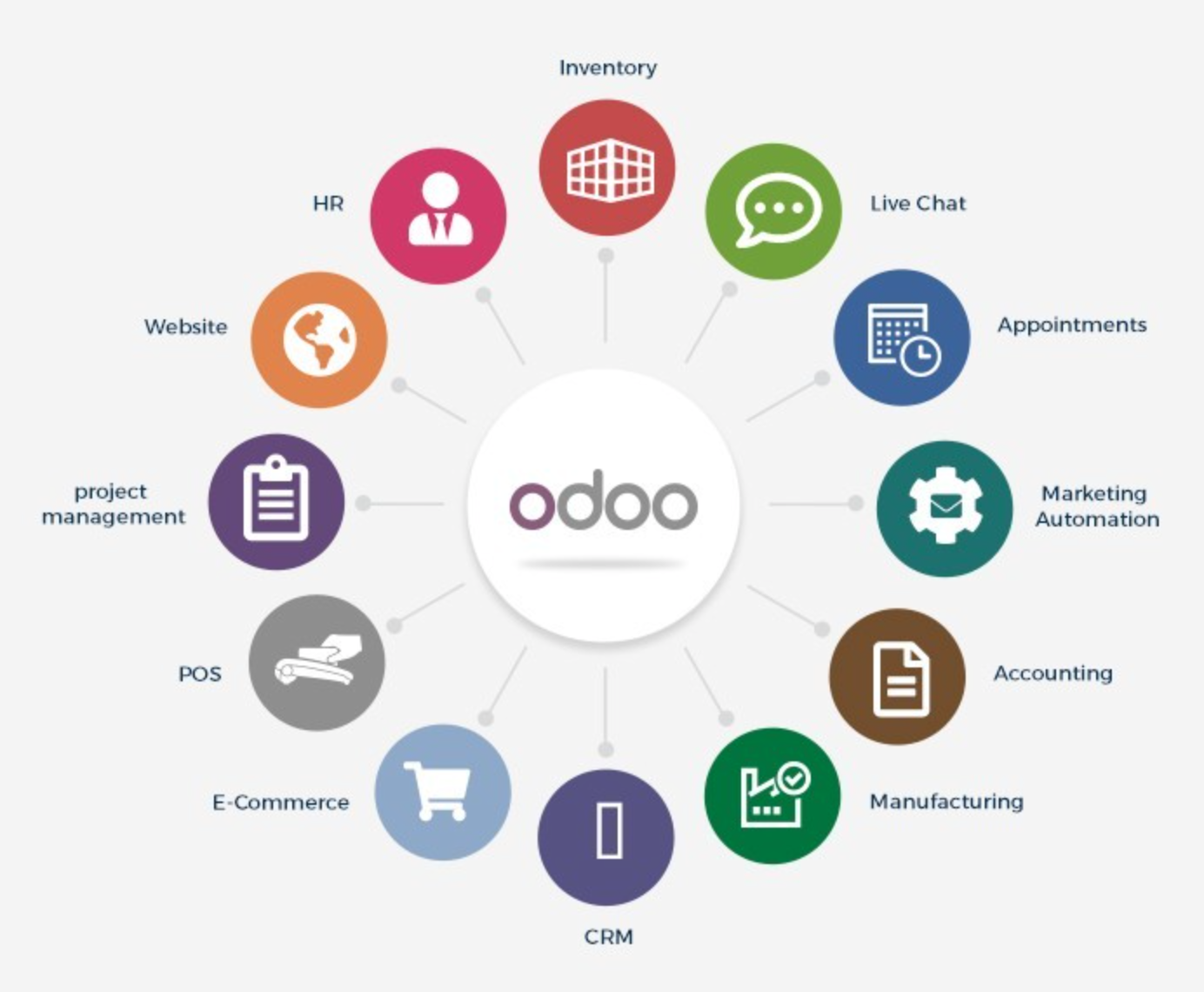
One of the key strengths of Odoo CRM lies in its integration capabilities with other modules within the Odoo ecosystem, such as Sales, Inventory, Accounting, and Marketing. This integration ensures a seamless flow of information across different departments, enabling better coordination and decision-making.
Type of Odoo CRM Software
Lead Management
Odoo CRM allows businesses to efficiently manage leads by capturing and organizing lead information, tracking their status through the sales pipeline, and nurturing them towards conversion.
Contact Management
It provides a centralized database for storing and managing contact information of customers, prospects, and other stakeholders. This includes details such as contact preferences, communication history, and key interactions.
Opportunity Management
Businesses can track sales opportunities from initial contact through to closing deals. Odoo CRM facilitates pipeline management by visualizing stages and probabilities, helping sales teams prioritize and manage their opportunities effectively.
Customer Communication
It includes tools for managing customer communications, such as integrated email functionalities, automated follow-ups, and scheduling of activities like calls and meetings.
Reporting and Analytics
Odoo CRM offers robust reporting and analytics capabilities to track sales performance, monitor key metrics (like conversion rates and revenue forecasts), and gain insights into customer behavior and trends.
Integration with Other Modules
As part of the Odoo ERP suite, Odoo CRM seamlessly integrates with other business modules such as Sales, Inventory, Accounting, and Marketing. This integration ensures data consistency and enables a holistic view of customer interactions across the organization.
Customization and Scalability
Businesses can customize Odoo CRM to meet specific requirements by adding custom fields, configuring workflows, and adapting the interface to match unique business processes. It is scalable, allowing businesses to expand functionality as their needs grow.
Mobile Accessibility
Odoo CRM offers mobile applications for iOS and Android devices, enabling sales teams to access CRM data, manage leads, and communicate with customers on the go, thereby increasing productivity and responsiveness.
Marketing Automation
It supports marketing automation features such as automated campaigns, lead scoring, and segmentation, helping businesses streamline marketing efforts and improve lead conversion rates.
Customer Support
While primarily focused on sales and marketing functions, Odoo CRM also facilitates customer support activities by providing tools for managing customer inquiries, tracking support tickets, and ensuring timely resolution of issues.
Key Benefits of Using Odoo CRM
Centralized Customer Data
Odoo CRM provides a centralized database for storing all customer-related information, including contact details, communication history, purchase history, and preferences. This allows businesses to have a unified view of each customer, facilitating personalized interactions and improved customer service.
Streamlined Sales Processes
With Odoo CRM, businesses can streamline their sales processes by automating repetitive tasks such as lead capturing, lead nurturing, and follow-ups. This automation helps sales teams focus more on closing deals rather than administrative tasks, thereby increasing productivity and efficiency.
Integration with Other Business Modules
As part of the Odoo ERP suite, Odoo CRM seamlessly integrates with other modules like Sales, Inventory, Accounting, and Marketing. This integration ensures smooth data flow across different departments, eliminates silos, and provides a holistic view of customer interactions and business operations.
Customization and Scalability
Odoo CRM is highly customizable, allowing businesses to tailor the CRM system to fit their specific needs. Administrators can add custom fields, configure workflows, and modify the interface to match unique business processes. Moreover, Odoo CRM is scalable, capable of growing alongside the business without compromising performance.
Enhanced Collaboration
By centralizing customer information and providing collaborative tools, Odoo CRM enhances teamwork and collaboration among sales, marketing, and customer support teams. Team members can easily share information, collaborate on deals, and coordinate efforts to deliver a seamless customer experience.
Getting Started with Odoo CRM
Setting Up Odoo CRM
-
Choose Your Odoo Edition: Odoo offers different editions, including Community and Enterprise. Decide which edition suits your business needs and budget.
-
Sign Up or Install Odoo: Depending on your choice of edition, sign up for an Odoo account on their website or install Odoo on your server if you opt for the self-hosted option.
-
Accessing Odoo CRM: Once installed or signed up, access Odoo by logging into your account. You will land on the Odoo dashboard, which serves as the central hub for accessing all Odoo applications, including CRM.
Navigating the Odoo CRM Interface
-
Explore CRM Dashboard: Navigate to the CRM application from the dashboard. The CRM dashboard provides an overview of your sales pipeline, key metrics, and recent activities.
-
Setting Up Users and Teams: Configure user accounts and permissions. Define sales teams and assign users accordingly to streamline collaboration and access control.
Configuring Basic Settings
-
Configure Company Information: Set up your company details within Odoo CRM, including business address, contact information, and logo. This ensures that all communications are branded appropriately.
-
Customize CRM Modules: Tailor Odoo CRM to suit your business needs by adding custom fields, modifying views, and configuring workflows. This customization helps align CRM processes with your unique business requirements.
Importing and Managing Data
-
Import Contacts and Leads: Import existing contact lists and leads into Odoo CRM. Use the data import feature to quickly populate your CRM database with customer information.
-
Organize Leads and Opportunities: Start organizing your leads by categorizing them into different stages of the sales pipeline (e.g., new leads, qualified leads, proposals). Assign sales stages and priorities to track progress effectively.
Utilizing CRM Features
-
Lead Management: Use Odoo CRM’s lead management tools to track interactions with leads, log activities, and schedule follow-ups. Assign tasks to team members to ensure timely responses.
-
Customer Communication: Utilize integrated email functionalities to communicate with leads and customers directly from Odoo CRM. Log all communication history for future reference.
Training and Support
-
Explore Resources: Familiarize yourself with Odoo’s comprehensive documentation, video tutorials, and community forums. These resources provide valuable insights into using Odoo CRM effectively and troubleshooting common issues.
-
Professional Support: Consider opting for Odoo’s professional support services if you need assistance with implementation, customization, or ongoing support for Odoo CRM.
Advanced Functionalities
Marketing Automation
-
Automated Campaigns: Odoo CRM allows businesses to create and automate marketing campaigns tailored to different customer segments. This includes email marketing campaigns, promotional offers, and targeted messaging based on customer behavior and preferences.
Reporting and Analytics
-
Comprehensive Reporting: Odoo CRM provides robust reporting capabilities that offer insights into sales performance, pipeline health, and campaign effectiveness. Businesses can generate customizable reports and dashboards to monitor key metrics such as conversion rates, revenue forecasts, and sales team performance.
-
Forecasting: Utilizing historical data and predictive analytics, Odoo CRM enables businesses to forecast future sales trends and revenue projections. This helps in making informed decisions regarding resource allocation, sales strategies, and business growth initiatives.
Mobile Accessibility
-
Mobile Applications: Odoo CRM offers mobile applications for iOS and Android devices, ensuring sales teams can access CRM data and perform crucial tasks while on the move. Mobile accessibility allows for real-time updates, instant communication with prospects, and efficient management of sales activities.
Integration Capabilities
-
Third-Party Integrations: Beyond its native functionalities, Odoo CRM supports seamless integration with third-party applications and services. This includes integration with popular productivity tools, accounting software, e-commerce platforms, and customer support systems, enhancing overall business efficiency and data synchronization.
Workflow Automation
-
Automated Workflows: Businesses can streamline repetitive tasks and ensure consistency in processes by setting up automated workflows within Odoo CRM. This includes automated lead assignment, task reminders, notifications for key milestones, and triggers based on predefined conditions.
Customer Engagement Tools
-
Customer Portals: Odoo CRM allows businesses to create customer portals where clients can access account information, view order history, and submit support tickets. This self-service functionality enhances customer satisfaction and reduces administrative workload.
Personalization and Segmentation
-
Customer Segmentation: By segmenting customers based on demographics, behavior, and purchasing patterns, Odoo CRM enables businesses to deliver personalized experiences. This includes targeted marketing campaigns, personalized recommendations, and tailored communications to improve engagement and loyalty.
AI and Machine Learning
-
Predictive Analytics: Leveraging AI and machine learning algorithms, Odoo CRM can analyze vast amounts of data to identify trends, predict customer behavior, and recommend actions for sales teams. This proactive approach helps businesses anticipate customer needs and stay ahead in competitive markets.
Customization Options in Odoo CRM
Adding Custom Fields
-
Custom Fields: Businesses can add custom fields to capture specific information relevant to their industry or business processes. This could include customizing fields for additional contact details, industry-specific data, or unique identifiers that help in better categorization and segmentation of customers.
Configuring Workflows
-
Workflow Configuration: Odoo CRM allows businesses to configure workflows to automate processes and ensure consistency in operations. Users can define sequential steps, set triggers based on specific actions or conditions, and automate tasks such as email notifications, task assignments, and follow-up reminders.
Modifying Views and Layouts
-
View Customization: Users have the flexibility to modify CRM views and layouts to suit their preferences and operational needs. This includes rearranging fields, adjusting column widths, and configuring dashboard widgets to display key metrics and reports relevant to the business.
Personalizing User Interface
-
UI Personalization: Odoo CRM enables personalization of the user interface (UI) to enhance user experience and productivity. Users can customize dashboards, set default views, and personalize themes or color schemes according to individual preferences.
Integration with Other Modules
-
Integration Capabilities: As part of the Odoo ERP suite, Odoo CRM seamlessly integrates with other Odoo modules such as Sales, Inventory, Accounting, and Project Management. This integration allows for data synchronization across different departments, eliminating silos and ensuring a unified view of customer interactions.
Advanced Reporting and Analytics
-
Custom Reports: Businesses can create custom reports and analytics dashboards within Odoo CRM to track specific KPIs, monitor sales performance, and gain actionable insights. Customizable filters and metrics enable businesses to analyze data from different angles and make informed decisions.
Adding Automated Actions
-
Automated Actions: Users can set up automated actions within Odoo CRM based on predefined triggers and conditions. This includes automating lead assignment, sending follow-up emails based on customer interactions, and scheduling activities to streamline sales processes.
Implementing Business Rules
-
Business Rules: Odoo CRM allows businesses to define business rules that govern how data and processes are handled within the CRM system. This could involve setting rules for lead scoring, pipeline stages, and customer segmentation based on specific criteria or behavioral patterns.
Future Trends in CRM Technology
Artificial Intelligence (AI) and Machine Learning
-
Predictive Analytics: AI-powered predictive analytics enables businesses to forecast customer behavior, identify trends, and anticipate customer needs. This helps in personalizing interactions, improving customer satisfaction, and optimizing sales strategies.
-
Chatbots and Virtual Assistants: AI-driven chatbots and virtual assistants are becoming integral parts of CRM systems. They provide real-time customer support, handle routine inquiries, and assist in lead qualification and nurturing processes, enhancing efficiency and responsiveness.
Omnichannel Customer Engagement
-
Unified Customer Experience: Customers expect seamless interactions across multiple channels such as websites, social media, email, and mobile apps. CRM systems are evolving to unify customer data from these channels, enabling businesses to deliver consistent and personalized experiences throughout the customer journey.
Data Privacy and Security
-
Compliance with Data Regulations: With increasing focus on data privacy laws (e.g., GDPR, CCPA), CRM systems are enhancing data security measures and ensuring compliance with regulatory requirements. This includes robust data encryption, user access controls, and transparent data management practices.
Customer-Centric Insights
-
360-Degree Customer View: CRM systems are evolving to provide a comprehensive view of each customer’s interactions, preferences, and purchase history. Advanced analytics and AI algorithms consolidate data from multiple sources to create a holistic profile, enabling businesses to tailor their offerings and marketing strategies effectively.
Personalization at Scale
-
Hyper-Personalization: CRM technology is enabling hyper-personalization by leveraging data analytics and AI to deliver highly relevant content, product recommendations, and offers to individual customers. This personalized approach enhances customer loyalty and increases conversion rates.
Cloud-Based CRM Solutions
-
Cloud Adoption: There is a significant shift towards cloud-based CRM solutions due to their scalability, flexibility, and cost-effectiveness. Cloud CRM platforms offer easy access to data from anywhere, seamless updates, and integration with other cloud services, supporting agile business operations.
Blockchain Technology
-
Enhanced Data Security: Blockchain technology is being explored in CRM to improve data security, transparency, and trust in customer interactions. It provides immutable records of customer transactions and interactions, reducing fraud risks and enhancing data integrity.
Conclusion
In conclusion, the evolving landscape of CRM technology is marked by transformative trends that are reshaping how businesses interact with and cater to their customers. From the integration of AI and machine learning for predictive analytics and personalized experiences to the emphasis on omnichannel engagement and data privacy, CRM systems are becoming more sophisticated and customer-centric than ever before.
Businesses that embrace these trends are poised to gain a competitive edge by improving operational efficiency, enhancing customer satisfaction, and driving revenue growth through deeper insights and more targeted marketing efforts. As CRM technology continues to evolve, staying abreast of these advancements will be crucial for businesses aiming to thrive in a dynamic and digitally-driven market environment.